• Hi Guest !

    Welcome to the 500Eboard forum.

    Since its founding in late 2008, 500Eboard has become the leading resource on the Internet for all things related to the Mercedes-Benz 500E and E500. In recent years, we have also expanded to include the 400E and E420 models, which are directly related to the 500E/E500.

    We invite you to browse and take advantage of the information and resources here on the site. If you find helpful information, please register for full membership, and you'll find even more resources available. Feel free to ask questions, and make liberal use of the "Search" function to find answers.

    We hope you will become an active contributor to the community!

    Sincerely,
    500Eboard Management

9 members, 35 guests, 7 robots...

All site visitors are classified automatically into members, guests, and robots.

Only certain types of robots are allowed -- specifically, beneficial search robots such as GoogleBot, BingBot, and Applebot. There are a LOT of Russian and Chinese bots that are denied access to indexing the site. Many other types of bots "mine" sites for marketing information, e-mail addresses and other contact inforamtion, which they package and sell to advertisers. Somestimes unscrupulously.

Some of the Chinese and Russian bots tend to swarm sites they are indexing (by the hundreds and more) and can overwhelm servers and suck resources, denying access and/or site performance to legitimate site members and guests. The only search engines that matter are as mentioned, Google, Microsoft Bing, Yahoo and Apple.

I'm sure from a cybersecurity perspective that @LWB250 can expound upon this topic.

Bottom line -- basically this is me keeping the site as safe and protected as possible from this scourge of useless and exploitative bots, and keeping things optimized for the bots that actually are productive.

A lot of work goes on behind the scenes to keep this site operating well for everyone, and to keep negative influences away. It isn't just all about spam and spammers, there are other issues too. From a security standpoint, I also do not allow remote (ssh = secure shell) access to the server's root, and I have some ports blocked so that the server cannot be accessed in some ways. I am also getting ready to eliminate remote access by system admins to the server via username/password, and will require the server to use a secure public/private key setup. Again -- security enhancement techniques which help lock down the site's infrastructure and keep everything safe and sound.

Screen Shot 2020-05-01 at 9.59.27 AM.jpg
 
It's all good, Gerry, thanks for your vigilance. People don't typically understand all of the machinations that go on in the background, and the effects they can have on the performance of a web site or server. It's a "whack a mole" thing that pretty much guarantees me job security...

:bat:

Dan
 
Yes, and also two-factor auth for regular members :stickpoke:

Capability is built into the system.

For our sys admins, there is one of them who does not own nor operate a mobular phone, so two-factor auth would not easily work for this individual. And they probably don't want to carry around an auth token with them every time they want to log in.....
 
I am currently fighting that battle in our organization. We purchased a product to do MFA (multi factor authentication) and six months later the organization decides it's migrating everything to Azure (Microsoft's cloud/hosted environment for those who aren't familiar with these things.) As a result of this our purchased MFA solution won't work. Shelfware. :hammerhead:

Our Exchange environment is a hybrid because of the need for (public) records retention. As a result of this the Microsoft MFA product won't work because everything doing authentication lives in Azure (cloud).

We just had a huge phishing attack that was very well executed, which caused my team and our server/Exchange teams major headaches and a lot of off hours time to remediate. We've explained that if we had MFA these most likely would never have happened.

I just learned the other day that MFA has now become a priority...:thumbsup2:

Dan
 
My employer started using PingID last year, which has been a RPITA. Ugh.
 
Yes, and also two-factor auth for regular members :stickpoke:

Capability is built into the system.

For our sys admins, there is one of them who does not own nor operate a mobular phone....

:stickpoke: poke accepted...never felt like a millennial (nor am I one) until my assumption of "everyone has a mobile phone" was just exposed

....I'll see myself to the door now.
 
I need to put you in touch with Uncle Larry, sounds like, LWB.

"Uncle Larry" already owns a large part of our environment. It's something I don't get involved with because they don't involve us, their choice. Some groups view those who do security as "the guys who say "No" to everything" or don't like us because, well, compliance. We just bring our concerns to the auditors every year and let them go into battle. Just finished a PCI audit and (outside) auditors laid waste to some areas as we expected (and warned.) Too early to say "I told you so?"

Some years back I did user testing for a database group that was developing a public facing website for social services. Now you can imagine the juicy PII, HIPAA and other goodies that might be in such an environment. The first day I found things like no input validation on numerous fields. I gave them a poster I had for database development best practices to show to the vendor. The vendor's response: "We don't have time to do that."

I wasn't invited back.

Dan
 
Last edited:
One other thing I have done, important for security, is to NOT allow direct ssh access to the system's root account. There is a very limited number of admin "ssh" accounts (Secure SHell ... which is the command line interface that is used to remotely access the forum's server over the internet), and none of the ssh accounts can directly access the system root (meaning it is impossible to log into the server as "root@500eboard.co" -- it is not allowed. The admin ssh accounts are part of the "sudo" (SUperuser DO) admin group, meaning they have admin privileges, but in order to do ANYTHING at all a different password (than the one used to log in) has to be typed in and used.

As also mentioned, I have my home computers and phone set up with encrypted key pairs. This is far more secure than a password for ssh login, and actually is quite a bit more convenient too ... less typing.

Lastly, I have the permissions for the forum server's directories (folders) strictly configured for appropriate read/write/execute access. There are a few folders (such as the image upload folders) that are configured for "global" read/write access, meaning that pretty much any user of the server (forum member) can read from or write to them -- and you guys do, every time you are on the forum. Many other directories are only configured for "read-only" access, meaning that using the forum reads the files, but does not allow writing to the directories or altering anything. This is the bulk of the files that comprise the forum code.

Still other directories are set up so that ONLY the server admin can access them. These are mainly the core files for the Ubuntu operating system, apache web server, and the like.

For the uploading of files via SFTP (secure file transfer protocol), the two configured accounts are very locked down. They cannot upload to or download from many directories. I have this set up so that a bad actor cannot access much of the server's setup remotely via SFTP. In these cases where files cannot be directly uploaded to a certain directory, I have to upload them to a directory that SFTP admin accounts DO have access to, and then via the SSH (command line interface) I will physically move them to the correct directories where they are supposed to be.

Security is a difficult thing. It's always a compromise between convenience and having things locked down TOO tightly. There are many different schools of thought on security, and I personally tend to err moderately on the side of "be more secure" than the middle. That said, I don't want to make it too cumbersome to get anything done.
 
What is this?? Robots??
Every week I upload a new file that is used to identify robots and web crawlers out there. This list is CONSTANTLY expanding by the week, as new species of bots and crawlers are introduced.

The purpose of MOST ALL of these bots is to scrape the Internet for information, process and classify it, and then monetize it for advertising purposes. IMHO this is certainly legal, but I do not like it and think it is sketchy. This is why generally I have "white listed" only a very tiny handful of "bots" that are actually beneficial ... that index the site to make its information available to people searching for it.

Yes, Google (googlebot), Microsoft (bingbot) and Apple (applebot) also monetize the information, but they are the most widely used search engines out there, so we pretty much HAVE to accommodate them.

Google has done a pretty good job crawling this site and making the results appear quite high up on its search pages. If you search Google for any 500E topic, usually our stuff appears high up on the page.

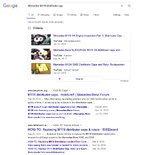
For example.....here are a few sample Google searches. Look how high our site results are.

Screen Shot 2020-11-21 at 11.16.40 AM.jpg Screen Shot 2020-11-21 at 11.17.25 AM.jpg Screen Shot 2020-11-21 at 11.18.11 AM.jpg

This forum's search results in Google and the like are MUCH better than they were in the old vBulletin site. This is because XenForo has a lot of neat capabilities built in that enhance discovery and information exposure by search engines.

Non-productive search bots that are not on the "white list" just typically get an error message if they try to access the site.

Here is the site's robots.txt file, which shows the bots and spiders that I specifically DISALLOW:

 
Last edited:

Who has viewed this thread (Total: 1) View details

Back
Top