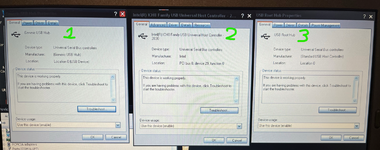

I'm running a 2013 version of SDS from a SSD in Windows XP on a Dell D630 laptop.
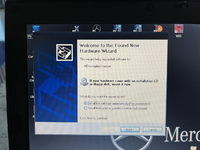
I have always had the following Wizard pop up when connecting a mouse (or other hardware e.g. Flash drives):

I recently tried to get it to stop displaying when connecting a mouse (as it is a bit of an annoyance) and I tried to use the Wizard.
Unfortunately it didn't work and now I cannot use the mouse unless it is connected to the lower of the 2 USB ports.
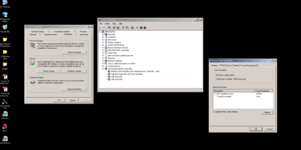
I tried having a nose into Hardware settings in Control Panel etc. (didn't change anything) but can't find how to reinstate the upper USB port.
Can anyone advise?
Thanks!!
I have always had the following Wizard pop up when connecting a mouse (or other hardware e.g. Flash drives):
I recently tried to get it to stop displaying when connecting a mouse (as it is a bit of an annoyance) and I tried to use the Wizard.
Unfortunately it didn't work and now I cannot use the mouse unless it is connected to the lower of the 2 USB ports.
I tried having a nose into Hardware settings in Control Panel etc. (didn't change anything) but can't find how to reinstate the upper USB port.
Can anyone advise?
Thanks!!



 or an XP specific forum?